Approvals
The My Approvals Page displays all items currently awaiting your approval. If you are designated as a change approver, access approver, or vulnerability deviation approver within your organization, pending items will appear here for your review.
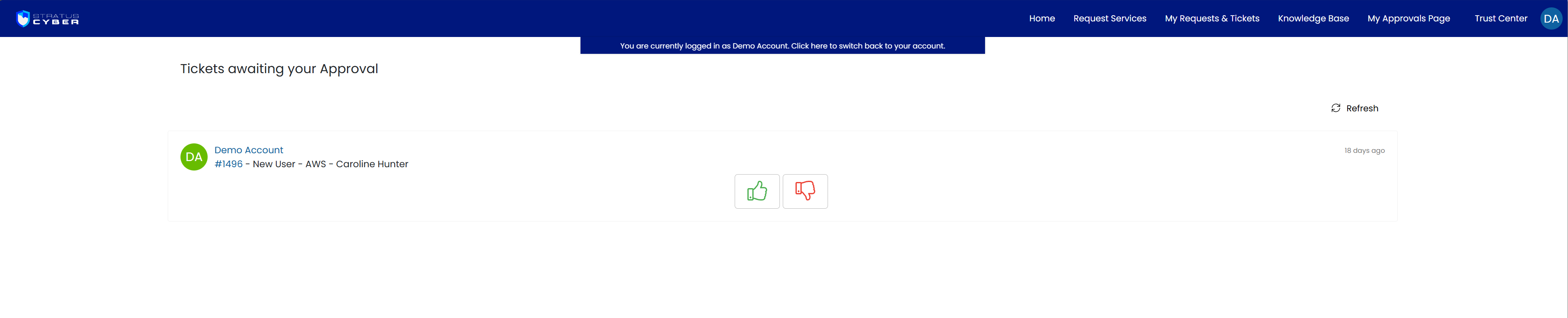
Use the approve or reject buttons to respond to each request.
Approval Types
The following request types may appear on your approvals page depending on your role:
- Change Request Approvals - proposed changes to systems within the authorization boundary, including configuration changes, deployments, and maintenance activities
- User Access Request Approvals - requests for new user onboarding, offboarding, or access modifications including privileged access changes
- Vulnerability Deviation Request Approvals - requests to accept, defer, or document risk for identified vulnerabilities that cannot be remediated within standard timeframes
Approval Workflow
Approval requests reach your approvals page after passing the platform-side approval board:
- CAB Review - the named approval board for the request type (the Change Approvers CAB, User Access Request Approvers CAB, or Deviation Approvers CAB) reviews and approves the request first, ensuring it meets compliance and security requirements
- Organizational Approval (your stage) - because you hold an approval role (Change Approver, Access Approver, or Deviation Approver), approved requests are then forwarded to you for final sign-off. This stage applies only when your organization has designated approvers; where none exist, CAB approval completes the process
This workflow allows organizational management to review and authorize changes, access requests, and vulnerability deviations directly through the self-service portal, without needing agent or technician access to the platform. Approval processes are highly customizable to suit your organization's needs.