My Requests & Tickets
The My Requests & Tickets page displays all of your submitted tickets with their current status, category, and priority. You can filter between open and closed tickets and search for specific requests.
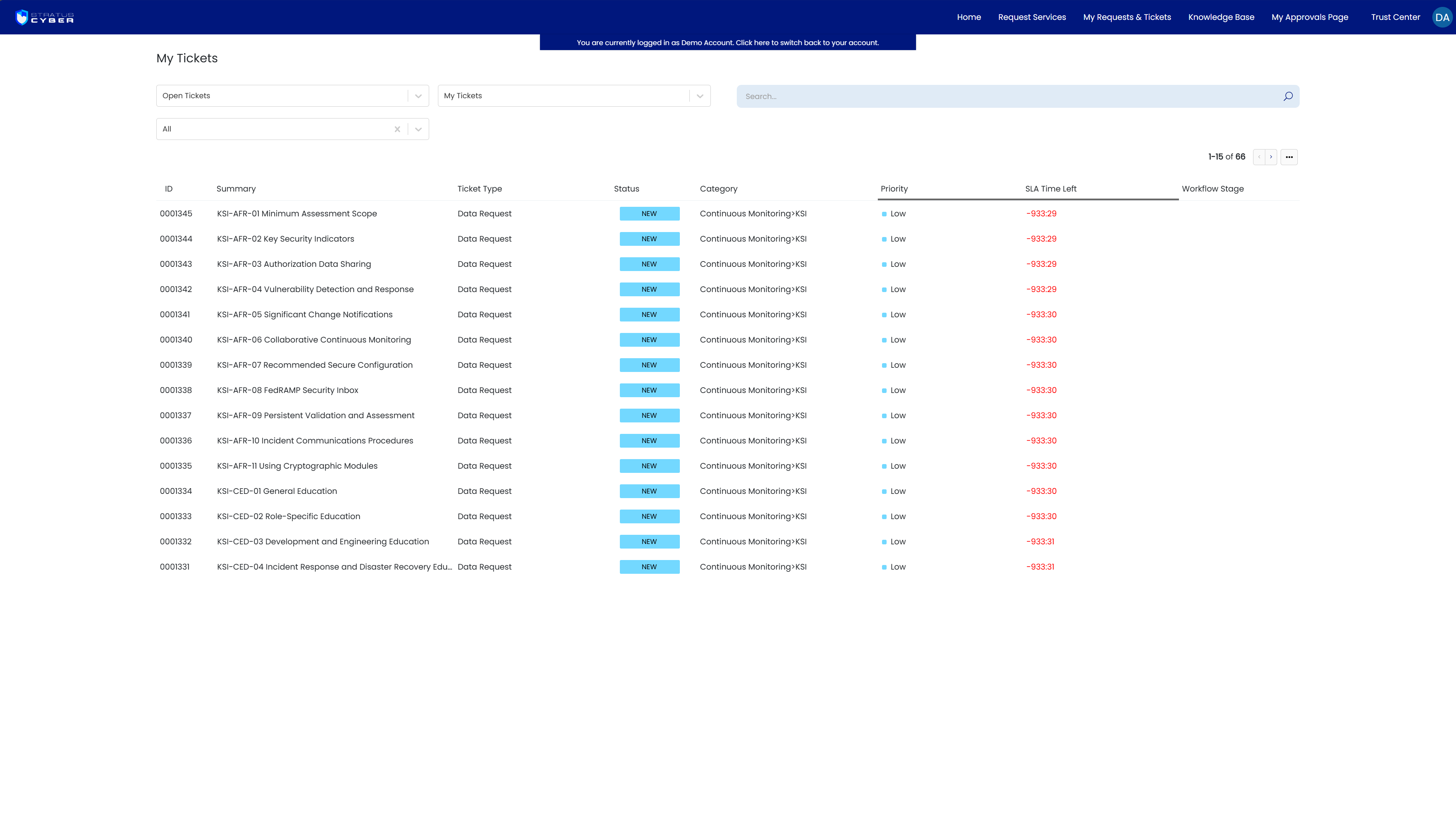
Viewing a Ticket
Click on any ticket to open its full details. From within a ticket you can:
- View status and SLA information - see the current status, response target, and resolution target for your request
- Add notes - provide additional context or updates to your request
- Reply to agents - respond directly to communications from the team working your ticket
- Upload attachments - attach files, screenshots, or supporting documentation
- Track compliance mappings - view associated controls, requirements, and KSIs linked to the request
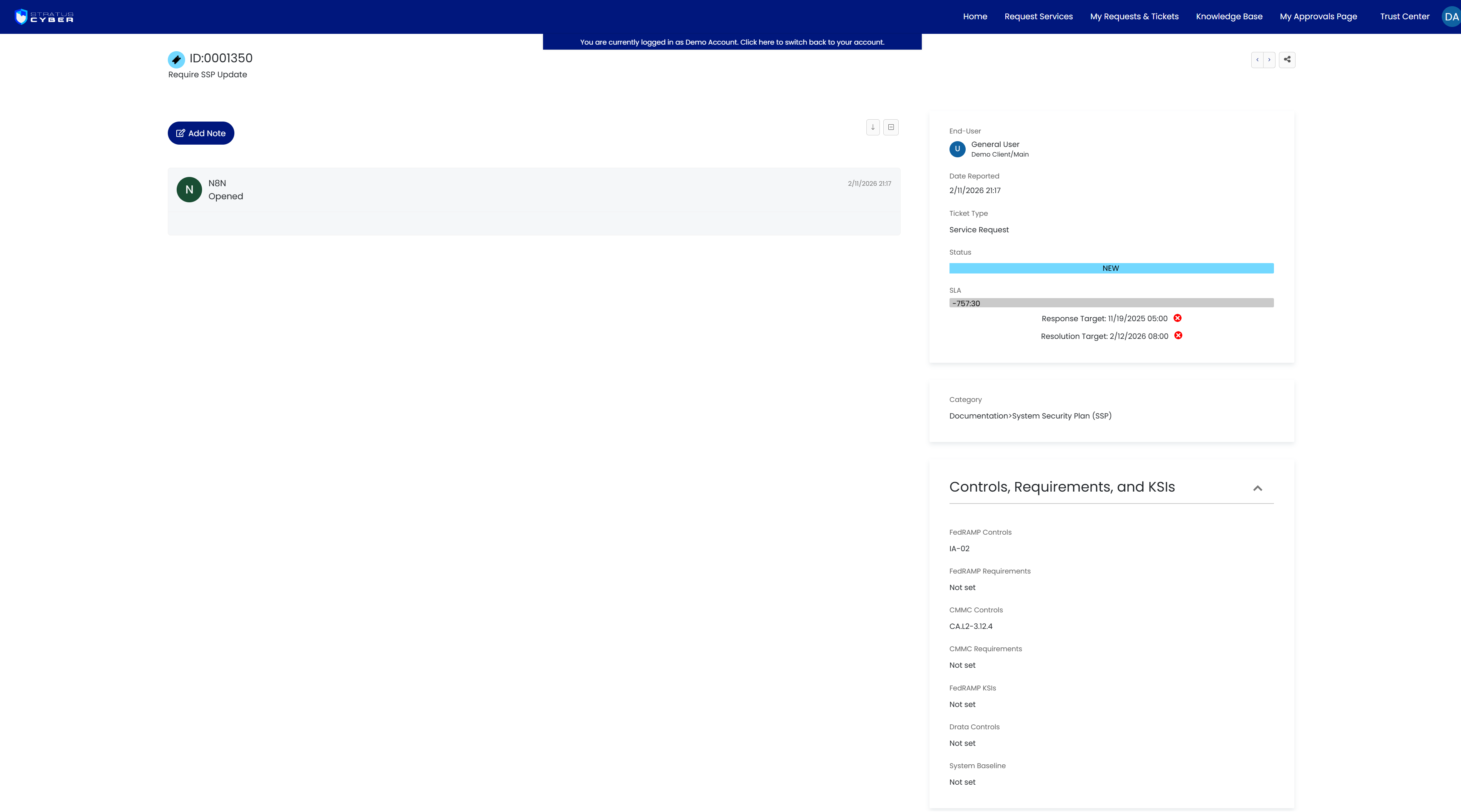
The right-hand panel displays ticket metadata including the assigned user, date requested, ticket type, SLA progress, and category. For compliance-related requests, the Controls, Requirements, and KSIs section shows the associated FedRAMP and CMMC control mappings.