Approval Processes
Navigation
Configuration > Tickets > Approval Processes on the GRC-ITSM website navigation.
The Approval Processes configuration area is where administrators define how approval workflows operate across the platform. Every change request, user access request, and vulnerability deviation that requires approval is governed by the processes configured here.
By default, the platform routes each request type to its named approval board -- the User Access Request Approvers CAB, Change Approvers CAB, or Deviation Approvers CAB -- whose membership is role-based. An optional second, organizational stage applies when an end user holds the matching approval role (Change Approver, Access Approver, or Deviation Approver): after the CAB approves, the request is forwarded to that user for final sign-off; where no such user exists, CAB approval completes the process. Approval processes are highly customizable - administrators can add, remove, or reorder steps, change who approves at each stage, adjust approval thresholds, and create entirely new processes to match the organization's governance requirements.
The page is organized into three tabs:
- Setup Processes - define the approval processes themselves and their multi-step workflows
- Process Rules - configure global behavior settings for how approvals are handled across the platform
- Change Advise Boards - manage the CAB groups whose members review and vote on requests
Setup Processes
The Setup Processes tab lists all defined approval processes. Each process represents a distinct approval workflow that can be assigned to a ticket type. Out of the box, the platform includes processes for the core GRC workflows:
| Process | Used By |
|---|---|
| User Access Approval | User access request tickets: onboarding, offboarding, and modifications |
| Change Approval Process | Change request tickets: system changes, configuration updates, deployments |
| Deviation Approval Process | Vulnerability deviation tickets: False Positive (FP), Operational Requirement (OR), Risk Adjustment (RA), and OR RA deviations |
| Single Agent Approval Process | Lightweight approval for lower-risk items requiring only a single agent sign-off |
How a Process Works
Each approval process defines an ordered sequence of steps that a ticket must pass through before it is considered approved. Steps execute in sequence; a ticket moves to step two only after step one is complete.
Each step specifies:
- Who approves - this can be a specific Change Advise Board (CAB), all designated change approvers, or another approver assignment method
- Approval thresholds - how many approvals are needed and how many rejections trigger a denial (inherited from the CAB configuration when a CAB is assigned)
For example, the User Access Approval process uses a two-step sequence:
| Step | Name | Approved By |
|---|---|---|
| 1 | CAB Approval | The User Access Request Approvers CAB, whose role-based membership reviews the request from a technical and compliance perspective |
| 2 | Organizational User Access Approval (optional) | The organizational approver designated as the Access Approver, where management provides final authorization. This step applies only when an end user holds the role; otherwise the process completes at step 1 |
This pattern is the foundation of the approval workflow described in the end-user Approvals guide and the agent My Approvals area: the CAB decides first, then the organizational approver signs off where one is designated.
Freezing Status Changes
Each process can optionally freeze manual status changes while a ticket is awaiting approval. When enabled, agents and end users cannot manually advance a ticket's status until the approval workflow completes, preventing work from proceeding before authorization is granted.
Process Rules
The Process Rules tab contains global settings that control approval behavior across all processes. These settings determine how the platform handles edge cases, enforces documentation requirements, and manages the approver experience.
Key configuration options include:
Submission & Validation
- Require CAB members - prevent submission of an approval process if no CAB members are assigned
- Approver not found behavior - show a warning popup if no approver can be found when a process starts
- User assignment timing - control when approvers are resolved (at process start vs. at each step)
Documentation & Comments
- Require comments on approval/rejection - force approvers to add a comment explaining their decision when approving or rejecting
- Require comments on rejection only - require justification specifically when rejecting a request
- Require authentication - require approvers to re-authenticate before approving or rejecting
Delegation & Reassignment
- Allow delegation - let approvers delegate their approval to another user
- Allow reassignment - let agents reassign an approval to a different agent
Approver Experience
- Show Accept All and Reject All buttons - display bulk action buttons on the My Approvals page
- Automatic approval on timeout - automatically approve a request if no action is taken within a configured timeframe
- Ticket visibility after approval - control whether approvers can view tickets in read-only mode after they have approved
Processing
- Process approval results in the background - run approval result calculations asynchronously to avoid blocking the interface on complex multi-step processes
Change Advise Boards
The Change Advise Boards tab is where administrators manage the CAB groups that participate in approval workflows. A CAB is a defined group of people (agents, users, or roles) who collectively review and vote on requests assigned to them.
Terminology
The platform uses "Change Advise Board" (CAB). This is functionally equivalent to the ITIL "Change Advisory Board," a group that reviews and advises on proposed changes. Throughout this documentation, "CAB" refers to the Change Advise Board configured here.
The Four Approval CABs
The platform ships with one CAB per approval domain:
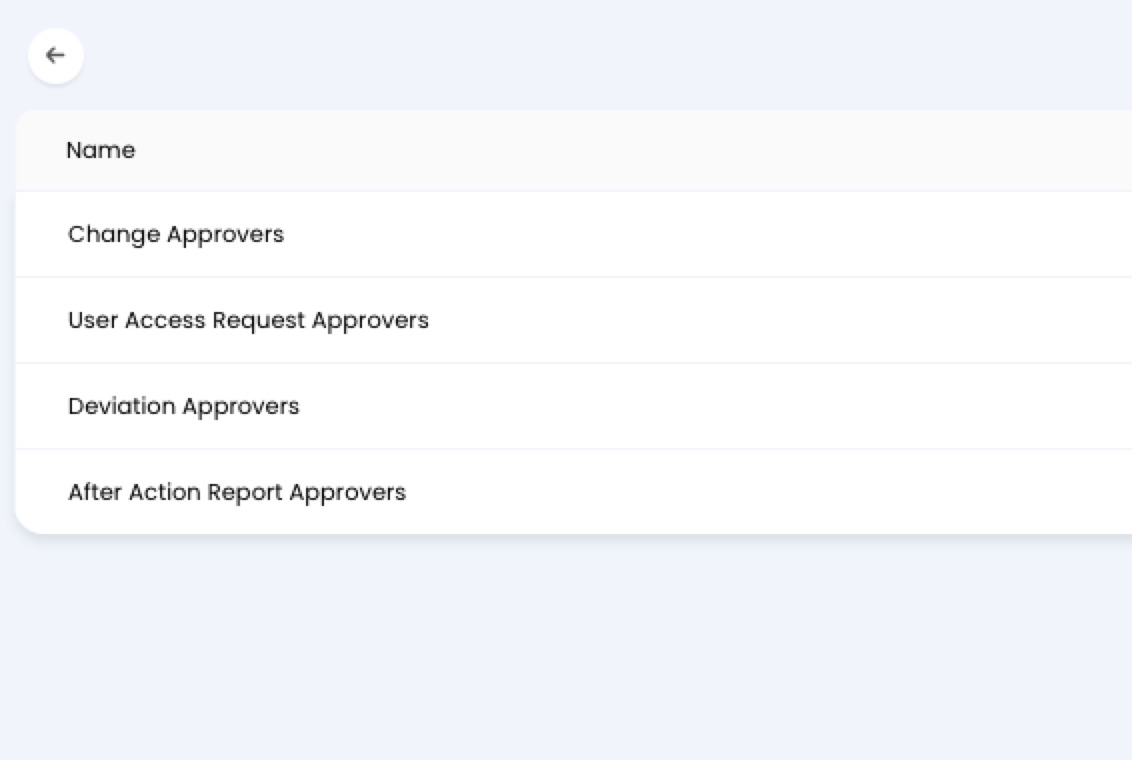
| CAB | Approves | Membership granted by |
|---|---|---|
| Change Approvers | Change Requests | Approver - Change Requests role |
| User Access Request Approvers | User Access Requests | Approver - User Access Requests role |
| Deviation Approvers | Vulnerability Deviations | Approver - Deviations role |
| After Action Report Approvers | After Action Reports on incidents | Approver - After Action Reports role |
Membership is role-based: assigning an agent the matching Approver role makes them a member of that CAB automatically, and removing the role removes them. This keeps CAB composition auditable through role assignments rather than hand-maintained member lists.
CAB Configuration
Each CAB defines:
| Setting | Purpose |
|---|---|
| CAB Name | Identifier used when assigning the CAB to an approval process step |
| All members must approve | Whether unanimous approval is required, or a threshold is sufficient |
| Number of approvals needed | How many "approve" votes are required to pass the step (when unanimous approval is not required) |
| Rejection threshold | How many "reject" votes trigger a denial of the request |
Members & Roles
CAB membership can be defined through two mechanisms:
- Members - individual agents or users added directly to the CAB, with an option to mark specific members as mandatory approvers whose vote is always required regardless of threshold settings
- Roles - role-based membership where anyone holding the specified role is automatically part of the CAB, with options for mandatory approvers, mandatory rejecters, and mandatory voters
Role-based membership is useful for keeping CAB composition in sync as team members change. Rather than manually adding and removing individuals, the CAB automatically reflects whoever currently holds the relevant role.
Relationship to Other Areas
The approval processes configured here are the administrative backbone for several areas across the platform:
- Change Requests - every change to systems within the authorization boundary flows through a change approval process before execution
- User Access Requests - onboarding, offboarding, and access modifications require formal approval to satisfy FedRAMP AC-2 and CMMC access control requirements
- Vulnerability Deviations - deviation requests carry their own approval process, potentially requiring sign-off from both internal leadership and external authorizing officials
- My Approvals (Agent) - where agents see and action CAB-level approval requests
- Approvals (End User) - where organizational approvers see and action requests that have passed CAB review